Arc 3 Communications

  • Home
  • About Us
    • Our Founder
    • Our Approach
    • Our Values
  • Services
    • Content
    • Digital
    • Advocacy
  • Our Work
    • Content
    • Digital
    • Advocacy
  • Blog
    • Archive Page
  • Contact Us

How to Hold Successful Virtual Meetings with Your Legislators

March 5, 2021 By Patrick L. Burns Leave a Comment

Lobbying is a key aspect of any state’s legislative session. Traditionally, lobbying and advocacy involved going to the state capitol and forming and maintaining relationships in the attempts to persuade to have a bill passed or killed.  This has changed drastically since the COVID-19 pandemic hit last year. Many state capitol’s have put in place limitations and restrictions to meet safety requirements during the legislative session. Many of the traditional ways to meet with lawmakers such as legislative receptions and special days at the Capitol have been taken off the table, leaving many lobbyists and citizens lost as how to participate in the legislative session.

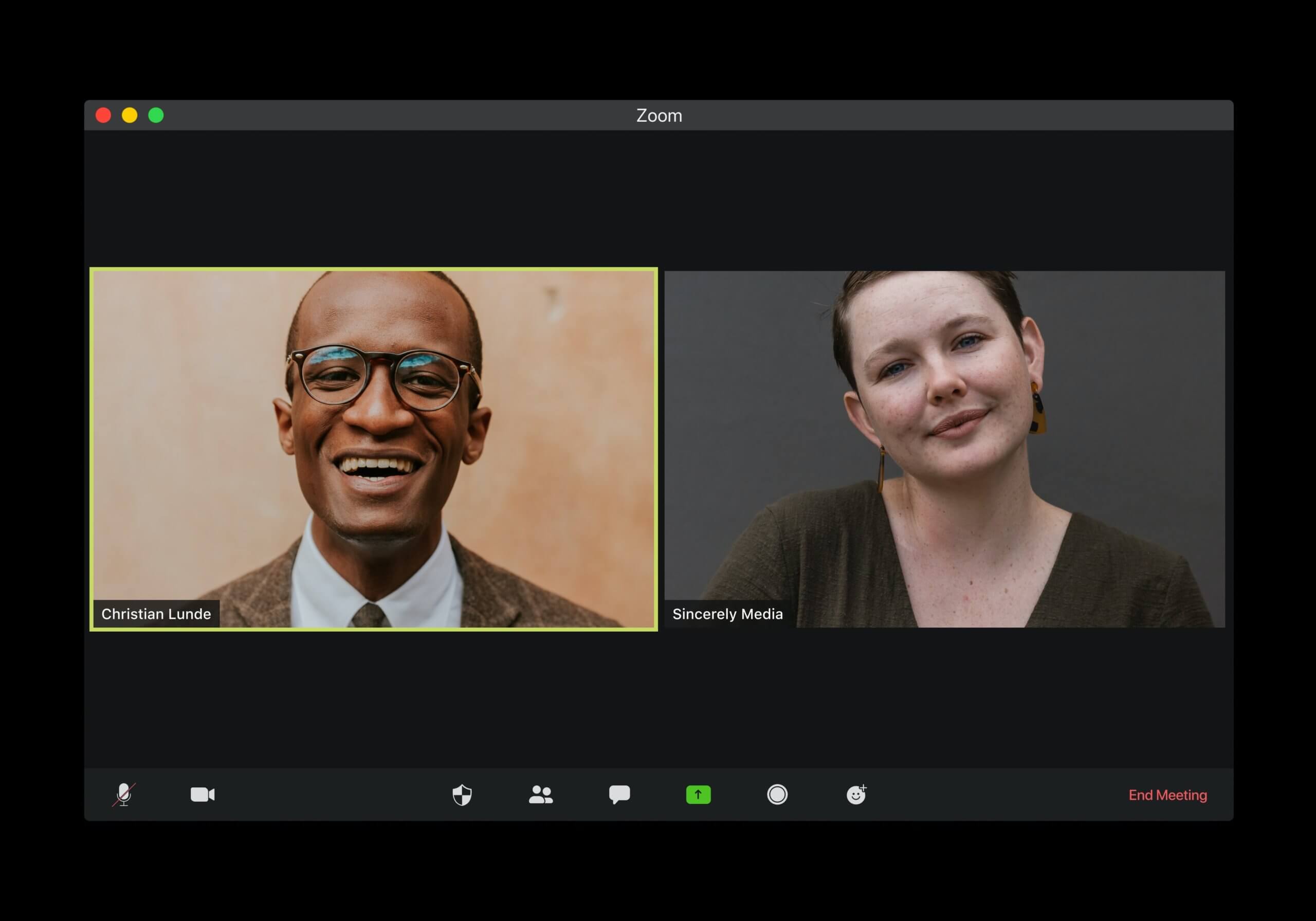
Many new communication techniques have come into play since COVID-19 reared its ugly head. One is familiar to many, the virtual meeting. Zoom has become a commonplace in the daily life of many people. From business meetings to family visits, Zoom has been utilized to connect people during a time of social distancing and shutdowns. This includes communicating with legislators, and when doing so, you should know how to conduct the meeting.

Below are some tips and tricks for having successful Zoom calls with legislators during the legislative session and how to present yourself and make a lasting impression.

  1. Familiarize Yourself with the Virtual Meeting Software

If you are a frequent user of Zoom or Microsoft Teams you may be well versed in all the features and functions of the platforms; but if you are not, take time to learn before your meeting. The respective software websites and YouTube how to videos are great resources to ensure you know how the program works and the many features that it has. Be sure to know where the mute button, share screen button, chat button, and other items are located and how they work. Also be sure to understand how to join into a chat and how to make sure your microphone and audio is set upon entering a meeting. This way if you find yourself muted, you will know how to unmute quickly without keeping your legislator waiting while you try to figure it out.

  1. Keep Virtual Meeting Software Up to Date

A big item when using virtual meeting software, whether you use Zoom, Microsoft Teams, or any other form, is making sure you keep the software up to date. Check an hour ahead of your meeting time to make sure there are no last-minute updates that need to be made. You do not want the time to come around for your important call with a legislator only to be late because you had to spend time updating the software.

  1. Do a Visual and a Sound Check

It is important to login early to perform a visual and sound check to make sure your camera and microphone are working properly. There is a test feature on most virtual meeting software that allows you to record a short clip and play it back so you can hear how you sound to the other party. This will help you adjust levels as needed so you are not too loud or too quiet during a meeting. There is also the ability to test your camera and make sure you do not have any unwanted filters or backgrounds activated and that your lighting and positioning are ideal. Doing this before every meeting is a good idea in case there are any issues that need to be resolved prior to your meeting time.

  1. Avoid Silly Filters

A video went viral recently of a lawyer meeting with a judge on zoom and he had a cat filter turned on that made him appear in the meeting as a talking cat. While the video was amusing to those watching, this kind of mishap could cost you your credibility with a lawmaker. This is why it is best not to mess with these sorts of filters on a professional account that you use to conduct meetings. If you are unaware of how to deactivate these filters, it is best to not mess around with them at all, as once activated, they will remain activated on all future meetings until they are disabled manually.

  1. Use Backgrounds Wisely

Virtual backgrounds can be useful for helping to provide a more professional feel if you are calling from a home bedroom for example. Virtual backgrounds are images that can be downloaded and used to replace your actual background in a video call. It is wise to test these out before the call to make sure they work visually and don’t cause any hiccups or distractions. Sometimes, depending on the device you are using for the meeting, virtual backgrounds can glitch or not work at all. This is why it is always important to test anything you plan on using during the meeting, beforehand.

  1. Technical Issues Will Arise, Don’t Panic

Just like with all technology, it will work perfectly until you need it to. There are apt to be issues that are out of anyone’s control such as disconnects, lags, and other technical issues. Do not panic, do your best to ride out the issue and if you get disconnected, attempt to rejoin the conversation. If it gets to a point where the meeting is completely dropped, email or call your representative, apologize and see if he or she is willing to retry the meeting. If worse comes to worse, see if you can complete the meeting over the phone and apologize for any inconvenience. Again, things happen so don’t panic, do your best to resolve the situation and continue the meeting as best you can.

According to many, virtual meetings are here to stay. While lobbying and advocacy are most effective face-to-face, many legislators may take to virtual meetings as they can be more convenient, and they can fit more into a day. This isn’t to say you should not try to schedule in person meetings in the post-pandemic world, just be aware that lawmakers may prefer this method far into the future.

Need help designing a Zoom background for your organization or brushing up on your virtual advocacy messaging, content and presentation skills? Contact us here.

Filed Under: Government Tagged With: Advocacy, COVID 19 advocacy, Digital and Government, Government, Legislation, Lobbying and Zoom, Virtual Meetings, ZOOM

How to Get Your Trade Association’s Content in Google’s Search Position Zero

February 22, 2021 By Patrick L. Burns Leave a Comment

In recent years, Google has been trying to find ways to get people the answers they are looking for without having to leave the Google search engine results page (SERP). One way they use to achieve this is the featured snippet. These can appear with traditional Google searches or voice searches which are growing in popularity. Featured snippets are boxes of text that answer a query and appear above the coveted top three results on the SERP. This has come to be known as “position zero”. These featured snippets pull the answer to the query from a content piece on a website and post the “snippet” along with a link to the full piece in a box at the top of the page. This allows people to get the answers they are looking for quickly without having to go to any website, but if they wish to know more, they can follow the link to the full piece.

While there is no exact science to getting your association’s content into featured snippets, there are things you can do to greatly improve your chances.

Understanding What a Featured Snippet Is

Before you can begin to think about trying to earn a featured snippet, you should know a few things about them. Featured snippets are usually answers to who, what, when, where, why, and how questions. Google ranks websites and content based on the reputation and factualness of the content and from there pulls answers to feature in the snippet. For example:

If you search “Why join a trade association?”

You will see this featured snippet appeared at the top of the page. This particular snippet was pulled from www.americanbusinessmag.com and features a basic answer to the question “Why Join a Trade Association?”. It also gives the user the chance to follow the link to learn more, thus increasing chances of someone visiting your website.

Snippets can appear in different forms including paragraph snippets like the one above, numbered or bulleted lists, and tables. Which snippet type that your content is featured in will depend on the type of content you create.

How to “Own” the Featured Snippet

As previously stated, there is not an exact science to winning the featured snippet, but there are steps you can take with your association’s content to increase your chances.

  1. Find out what people want to know

For this first step, you really have to think like your audience; this could be existing members or potential members. Think of the questions you receive and try to focus strong content around answering those questions. Again, featured snippets are answers to who, what, when, where, why, and how questions. Keep this in mind when brainstorming potential audience questions. A good resource for finding what people are asking is www.answerthepublic.comwhere you can search specific terms and see what people are searching for regarding that term.

We searched “trade associations” and you can see a part of the wheel we got as a result. This image includes the who and how results. One popular question is “what do trade associations do?” so that may be a good topic for content for you to focus on.

  1. Research Snippets in Your Industry

A good way to find opportunities for snippets for your association is to go to Google and begin typing the questions that you came up with. This will allow you to see if there are existing snippets or if there is an open opportunity for you to own the snippet. Even if there are existing snippets, if you tailor you content right, you can still take control of that snippet. Also be sure to pay attention to the “People also ask” section that appears further down the SERP. Below is the “People also ask” box that appears when we entered the question “What is a trade association?”

This section also pulls from existing content online so there is also potential to have your content featured as an answer here as well.

  1. Strong Website, Strong Content, Strong SEO

One of the most important factors in having your association’s content chosen for the featured snippet is making sure your website is optimized, easy to navigate, and functioning well. This is one of the first things Google looks at when determining whether your page should appear on the first page of the SERP or in the featured snippet. If your website is slow and not user friendly by Google’s terms, even if your content is outstanding, you may be overlooked when it comes to the featured snippet. Not only that, but your website will get pushed further back on the SERP making it hard to find and less likely to be visited.

Also, devoting time to keyword research and using popular keywords in your content will help not only win the featured snippet, but also rank you higher on the Google SERP. Using backlinks, cross-linking, and releasing content consistently and regularly can also go far to increase your ranking and raising you up on the search engine results page (SERP).

You Can Do It

It takes work, but you can earn the featured snippets and even improve your position on Google’s search engine results page at the same time. There are many other factors that improve your chances for securing snippets and improving your SEO. If you would like further information or help with your association’s website or content marketing, contact us here.

Filed Under: Public Affairs Tagged With: Assnchat, Associations, Content, Content Marketing, Content Marketing and Associations, Google, public affairs, SERP, Trade Associations

5 Ways Local Governments Can Improve Their Social Media During COVID-19

January 19, 2021 By Patrick L. Burns Leave a Comment

5 Ways Local Governments Can Improve Their Social Media During COVID-19

COVID-19 has created a major shift to digital when it comes to the way local governments provide services for and engage with their citizens. Local governments are tasked with keeping their citizens safe and informed both regarding the COVID-19 pandemic and the other many services they provide. Local governments must also be responsive to their citizens’ concerns while also working to keep the calm and provide reassurance during challenging times.

One tool that can be utilized by local governments are their various social media pages. Facebook, Twitter, and Instagram are great ways to keep in communication with citizens while also providing important timely information and creating an open dialog for people to voice suggestions and concerns. Below are five useful ways your team can begin utilizing your social media during COVID-19 and beyond.

  1. Emergency Alerts, News, COVID-19 Updates

In these times of uncertainty, it is essential to be able to relate any emergency alerts, updates, and new COVID-19 developments to your community as quickly and efficiently as possible. Not everyone has social media, so it should not be your main line for communicating these items, but it is a useful channel. This can be anything from severe weather warnings to school closures due to COVID-19.

It is important when relaying this type of information to do so in a reassuring and confident tone. Make sure to avoid use of all caps, exclamation marks, or language that may cause panic. You do want to be sure people are aware of any danger or risks and take these seriously, but it is also good to let them know the local government is doing everything it can to help.

  1. Important Meetings

Though meetings and public hearings may not be taking place in person, many local governments are holding official public meetings through Zoom and other virtual meeting platforms. Making sure your citizens have plenty of notice of upcoming virtual public meetings as well as all the necessary details, such as Zoom links and passwords, is crucial to making sure people in the community have the opportunity to attend these meetings and provide public input.

Posting this information on your social media accounts can also allow you to gauge public interest in a policy or topic, answer questions, and get an idea of the things people are saying about an issue by viewing the likes and comments. Be sure to keep a close eye on the comment section, so you can respond in a timely manner and answer any questions that may arise. Speaking of comments, have clear conduct guidelines in place to avoid any misinformation or inappropriate posting on your government’s pages.

  1. Be Open and Responsive


With many local government buildings having limited access to the public, many people may have trouble getting in contact with local officials they would like to talk to. It may not be possible to respond to every comment on each post; but utilizing apps such as Facebook Messenger allows for citizens to send direct messages. These should be checked and replied to in a timely manner as this will build trust while providing answers and letting the people of your community know their voices are being heard.

You should also have a visible link to your government’s website and contact us page that will allow an email or direct message to be sent if you
are unable to check the social media messaging apps. A great example is Cobb County, Georgia’s Facebook page pictured below, in which they have multiple options for contacting them prominently at the top of their Facebook page.

  1. Assisting Local Law Enforcement

Another important use for local government social media is assisting local law enforcement in spreading any important alerts or information. They can share missing children alerts, be on the lookout (BOLO) alerts, and even public service announcements and safety tips to help keep the community safe. Many local law enforcement agencies have their own social media accounts, but local government can help by sharing any important public safety messages on main accounts.

Traffic alerts, road closures, and construction news can also be shared to help keep people informed of possible detours, traffic patterns, and accidents in their area. This can help prevent frustration and keep traffic flowing smoothly on local roads.

  1. Messages of Hope and Positivity

COVID-19 has been hard on everyone. It is important to provide hope and positivity for the people of your community and let them know that brighter days are ahead. Things such as inspirational quotes, news about successful fundraisers, happy stories from around town, and messages of positivity from elected officials can go a long way in turning the tide of negativity and allowing you to bring some light into your community. Though times are difficult right now, as communities, we can come together and get through it; people need to be reminded that there is light at the end of the tunnel.

Your local government’s social media accounts are a powerful tool for keeping connected with your community and making sure the wheels keep turning. It also allows the people to know their voices are important and being heard. It also allows your citizens to attend local public meetings and be a part of important decisions that affect their community. And finally, it can bring messages of hope and positivity to your community during these challenging times. So please make sure you are utilizing your local government’s social media accounts, and if you need help with strategies and ideas for your community, contact us here.

Filed Under: Government, Public Affairs Tagged With: Facebook and Local Government, Government, Local Government, public affairs, social media, Social Media and Local Government, Twitter and Local Government

How to Write a Successful Call to Action for Your Association

October 29, 2020 By Patrick L. Burns Leave a Comment

Associations Call to ActionWhen it comes to getting members to engage with your content, whether your blog, e-mail newsletter, event sign-up, or donations, your call to action (CTA) goes a long way. According to Associations Now, getting members to engage starts with compelling them to act. It also helps with member recruitment when trying to get people to become members with your association. The call to action is a powerful tool for you to utilize and there are several tips that can help you build ones that are effective and successful in your mission.

What is a Call to Action?

Your call to action is your chance to persuade your current and potential members to do what you want them to do. Think of it as your “Buy Now” statement. You will include this on everything from blogs, to social media posts, to newsletters. As an association, you should also include CTAs on your website copy to recruit new members or get renewals. A well-crafted call to action will have majority of the people who view your content engaging with and completing the tasks you want them to.

Short and Simple, Yet Informative

A good call to action is short, simple, and to the point. You want to make sure that you give enough information to inform the reader and guide them towards the desired action. You want to make sure the benefits are clear, for example:

“Sign up for our newsletter to receive all the latest association news, useful resources, and event invitations.”

Be sure to include easy to follow instructions to complete the action such as a link, a phone number, email address or a form to fill out. This will make it quick and easy for people to complete the action and increase the likelihood they will go through the necessary steps required.

Use Action Verbs

Wording is everything when it comes to the success rate of your call to action. Action verbs go a long way towards leading people to converting. Phrases such as “Sign up,” “Visit us at,” and “Learn more” can prompt people to take the actions you would like them to. Also, using words that show enthusiasm or spark emotion in your members and potential members will help drive action. You should always be willing to be creative with wording and try different methods to find CTA’s that work for your association. The only way to truly know what works is to test your ideas and see which ones are the most successful.

Frequency is Key 

Make sure you are consistent with your CTA. This means including it on anything that your members and potential members will be viewing. Social media posts, newsletters, blog posts, and web copy are a few ideal places to include your CTA. The more your message is put in front of your audience, the better the chances are that your members will take action. Feel free to try different tactics and approaches to find what works best for your goals. Keep track of your results with each campaign so you can decide what is successful and what might not be. Every piece you put out should have a form of a CTA present.

Having successful calls to action for your association involves knowing your members and potential members and being able to craft a message that will drive them to act. Whether it’s signing up for the association’s email newsletter, registering to attend the annual conference, or becoming a new member; each call to action should be creative, specific, and intentional. The more you can provoke emotion or enthusiasm, the more likely your audience will be to take the desired action. Every campaign is unique, so try different tactics to find the ones that works best for your association and start getting results, now.

For more help with your association’s needs sign up for our newsletter, follow us on social media, or contact us here.

Filed Under: Content Marketing, Digital Marketing, Public Affairs Tagged With: Arc 3 Communications, Associations, Associations Now, Call to Action, Content Marketing, Content Marketing and Email, Content Marketing and Trade Associations, CTA, Digital and Public Affairs, Email Marketing and Trade Associations, How To, public affairs, Social Media and Trade Associations, Trade Associations

How to Better Follow Up with Your Elected Officials Now

July 21, 2020 By Patrick L. Burns Leave a Comment

elected officials

After a successful meeting with an elected official to discuss an issue that is important to you, it is in your best interest to follow-up with that official in a timely fashion. This allows you to keep track on where the issue stands and what is being done to address it; as well as show your dedication to the issue. Below are steps to ensure your follow-up is successful and your issue remains at the forefront.

  1. Send a Thank You Letter

Promptly after the meeting, you should send a personal thank you letter to the elected official. They took time out of a busy schedule to meet with you about your issue, and even if they disagree with your stance, thanking them for their time and being courteous goes a long way. They will be more likely to listen to you on future issues. Be sure to proofread your letter and address to the correct location that ensures it gets into the right hands. Pro-tip: all elected officials, both past and present, are addressed as “The Honorable” instead of Mr., Mrs. Or Ms.

  1. Send Any Information and Materials

In a meeting with an elected official, you may offer or be asked to send additional information and materials on your issue. If there was something you couldn’t answer at the time of the meeting, or if the elected official requested additional information on the issue, make sure you send these in a timely manner. This will show you are credible and dedicated to the issue you are addressing. With these types of follow-ups, make sure the information and materials are clear and well organized and that the information given is cited with sources and credible. Giving inaccurate information can greatly damage your reputation with elected officials.

  1. Set Deadlines, Follow-up

During your meeting, if the elected official is unsure of their position, give them time to think on it and offer to provide them with more information. Inquire about when you should check back in to find out what your official plans to do regarding your issue. When the time agreed upon comes, send a follow-up email and make a phone call checking in on the issue. Be patient but be persistent, remember these officials are busy, if they have not reached a conclusion yet, set a new timeframe in which you can expect to check back in. Keep this process running so you and your issue don’t get overshadowed and forgotten.

  1. Attend Community Events in the District

Town hall meetings and other events are great opportunities to follow-up and touch base with elected officials and gather new information on your issue. If you participate and are engaged in a constructive way, you will build relationships and a reputation that will benefit you. These relationships will not only help you with your current issue, but you are more likely to be heard on future issues as well.

  1. Keep in Touch

You do not want to randomly contact your elected officials too much where you become a nuisance, but a regular well-timed check in email and phone call is recommended. Also, if you learn any new information regarding your issue that you feel may be of help, make sure you contact the office to be sure they are aware of this new information. If these communications are informative and direct, they can go a long way in helping keep your issue on their agenda.

Elected officials are not going to side with you on every issue, but if you always carry yourself respectfully and dignified, they will be more likely to hear your stance. They will also be more likely to view you as a credible source for information on future issues that they may agree with you on. How you follow up with your elected officials at the federal, state or local level after a meeting is important in advocating for your issue and building a strong relationship long term.

Filed Under: Government, Public Affairs Tagged With: Advocacy, Digital and Government, Elected Officials, Gov 2.0, Government, public affairs, Virtual Meetings

How to Safely and Securely Use Zoom for Government Meetings

July 14, 2020 By Patrick L. Burns Leave a Comment

The video-conferencing app, Zoom, has become a daily tool for many people during the COVID-19 pandemic. As cities and state across the country were shutting down to protect against the spread of the virus; state and local governments were trying to find ways in which they could move forward with important meetings while being unable to meet in person.

Zoom became a go-to due to its ease of use; ability to have up to 100 people attend a meeting; and free use for up to 40 minutes. A problem that arose was what became known as “Zoom bombing” where a person or persons gains access to the Zoom meeting by hacking or obtaining the Zoom chat information and causes disruptions to the meeting.

One example of this was during a Kansas City Council committee meeting when a hacker or hackers infiltrated the meeting and began cursing and using racial slurs until the committee was forced to shut down the meeting. Another occurrence was during a Maine’s Children’s Behavioral Health Townhall in which a hacker or hackers gained access and began displaying deeply disturbing and offensive images forcing the meeting to be shutdown.

In addition to Zoom bombings, there have been instances of camera and audio high jacking, in which hackers can take control of a user’s camera or audio device to bug a meeting or even install harmful spyware and malware onto a user’s device.

Instances like these have caused many governments to rethink whether they want to use the platform to conduct meetings. Luckily, there are steps you can take to ensure your government Zoom meeting is protected against these unwanted Zoom bombings. Below we provide a how-to on securing you state and local government Zoom meetings.

  1. Always Password Protect Your Meetings

The easiest way to prevent unwanted intrusion into your government meetings is simple and easy to do; set a password. You have the option to set the password at the individual meeting, user, group, or account level and it is suggested to use a different password for each meeting. In order to do this, log into your Zoom portal and go to the “settings” tab. From there enable “require a password when scheduling new meetings” and Zoom will generate a password each time a meeting is scheduled.

  1. Use a Randomly Generated Meeting ID

When creating a Zoom account, you are provided with your own personal meeting ID you can use to set up meetings. These are not ideal for use for government meetings; especially if planning on public input attendance. It is suggested you do not make your personal meeting ID public. Once someone has your personal meeting ID it can either be leaked or used to gain access to future meetings; instead it is suggested you use a randomly generated meeting id. You can select this option when setting up your meeting.

  1. Utilize the Waiting Room Feature

The waiting room is normally used for individual interviews or one-on-one sessions, it can be utilized to screen participants as they join before allowing them to come into a meeting. This gives the host greater control over session security and prevents anyone who may have obtained the login information dishonestly from joining.

  1. Disable Participant Screen Sharing, Mute Upon Entry

In order to avoid people showing inappropriate things such as happened in the aforementioned examples, disabling attendant’s ability to use screen share can help prevent that. Unless someone is scheduled to share a presentation or visual, going under the “security” tab during your active session and disabling screen share can help avoid unwanted disturbances. Also remember, as a host, you can choose to mute people upon entry or manually mute or unmute a participant during the meeting.

  1. Lock the Meeting Once it Begins

Once the time for the meeting has arrived and everyone is in attendance who is meant to be there, it is a good idea to “lock” your meeting to prevent others from joining. This can be done once the session has begun by going to the “Manage Participants” tab and clicking on “more.” From there you can click on “lock” and this will prevent anyone else from joining the meeting. It can be unlocked at any time if you need to admit anyone.

  1. Evict Troublesome Participants and Report

If someone happens to come into your meeting uninvited or a participant begins causing trouble, you, as the host, can remove that person from the meeting. This should be done immediately upon noticing an issue. All you have to do is mouse over the participant’s name and with the option pop-up chose the “remove” option. After you have done this you can report them to Zoom’s Trust and Safety team who will take appropriate action.

  1. Keep Your Zoom App Updated

As security and functionality issues arise, patches and updates are regularly released to combat these issues. Each time before using Zoom, you should always check to make sure you are updated to the latest version. This can be done by opening your application, going to your profile and selecting “Check for Updates.” The app will automatically scan and install any updates.

Using Zoom for government meetings is a good way to continue with important policy and public engagement processes during these trying times. Zoom is an ever-evolving platform that continues to take steps towards a more secure meeting experience. Making sure you take all precautions to secure your meetings will help prevent bad actors from gaining access and wreaking havoc. Government meetings are essential to keep state, cities, and counties running smoothly, and Zoom is one means to keep the wheel turning until we can all safely meet in person again.

Filed Under: Government, Public Affairs Tagged With: Advocacy, Arc 3 Communications, Digital and Government, Digital and Public Affairs, Gov 2.0, Government, public affairs, ZOOM

How to Utilize ZOOM to Engage Your Association Members During COVID-19

May 13, 2020 By Patrick L. Burns Leave a Comment

With the current COVID-19 pandemic, many are working from home and annual conferences and monthly and quarterly meetings have been postponed or cancelled. For associations, these meetings and conferences are a major part of what they offer members. This has prompted many to embrace their creativity and take these opportunities online as virtual experiences for their members. One of the challenges, however, is how to arrange a virtual meeting that offers your members the same value as they would get from an in-person event or conference. There are many ways your association can utilize virtual events to deliver value to your members. Below are some ideas for utilizing the Zoom virtual meeting platform for use for everything from group meetings, to continued education presentations, and even annual conferences.

About Zoom

Zoom has grown in popularity and usage due to the recent COVID-19 pandemic. This is because it is a platform that allows people to conduct virtual meetings and allows businesses and associations to continue operating. Zoom allows for up to 100 people to be present in a single meeting and with a paid subscription, unlimited meeting length (free version allows up to 40-minute meetings.) Audio and video capabilities, screen share, text chat function, and break-off rooms allow for many different uses of the platform. With a shift to virtual meetings on Zoom, there are some things to be aware of; and we will discuss those as well.

Zoom Meetings

The most popular use of Zoom for associations, especially during the COVID-19 pandemic, is Zoom group meetings. Zoom allows you to host meetings and invite people to them. These meetings allow for audio and video sharing as well as screen sharing. This is a great way to keep your members informed of policy or membership news or host an informative guest speaker or panel.  It is also very useful to hold important meetings with your board members to keep things running as smoothly as possible. Being able to set a password and invite specific people to meetings allows for privacy. You can set a schedule and send out reminders via email of upcoming meetings to ensure meetings are timely and successful.

Webinars and Continued Education

Zoom is also very useful for webinars and continued education opportunities. If your association usually offers courses, classes, or other learning opportunities, these can be done virtually so your members can still take full advantage. Set up much like a Zoom group meeting, you can have a presenter use share screen to show a presentation or have a lecture. The option to allow one person to be on video if desired and mute all attendees, helps prevent distractions and allows a more effective learning experience. Zoom also has the capability to stream live to YouTube and Facebook, so you can reach even more people if you would like to. This way any certifications or credits can still be achieved by your members without any roadblocks to accessibility. Zoom also allows for recording of sessions, so that it may be available later on to members at times convenient to them.

Networking Opportunities 

For some associations, a big part of what they offer are networking opportunities. Whether through annual conferences or monthly meetings, networking is a big part of what many associations do. With Zoom, you can allow members to come together; and using the breakaway feature, they can break off into smaller one-on-one meetings and then return to the main group later. Members can also utilize the private chat options to send text chat to other members and exchange information that way. If you have multiple committees within your association, you can set up separate meetings, so people can network with those most beneficial to them.

Zoom Etiquette and Other Tips

When it comes to Zoom meetings, it is very important to conduct yourself like you would during face-to face meetings. There are a few things to consider that will allow you to conduct yourself in a professional manner, and have a successful experience with virtual meetings and networking.

Be aware that your camera and audio are connected until you fully exit the Zoom application. Avoid doing or saying anything you wouldn’t want everyone to see or hear while the Zoom application is running, even if you are not actively in a meeting or think you are muted. Also, dress appropriately, if you would normally dress business or business casual, dress that way on Zoom meetings as well. You may be joining in from home, but you should still carry yourself professionally.

Use discretion when using Zoom backgrounds. These are backgrounds you can download to have displayed behind you during a meeting. Don’t use a flashy or inappropriate background that will cause distraction in a meeting. If you choose to use a background, pick a professional image such as an office backdrop. Also, test out the background before using it in a meeting in case there are any incompatibilities or technical issues.

As we continue to fight against the COVID-19 pandemic, it is important members know you are there for them. You must reach out as much as you can. Offering virtual opportunities is a great way to show value and keep your members informed of association activities. With the uncertainty caused by COVID-19, associations must get creative to keep things running and work hard to show value. Zoom group meetings, webinars, and networking events are great ways to offer members quality opportunities while we get through these difficult times.

For more information, or help with your association’s content marketing strategy, visit www.arc3communications.com or contact Patrick Burns at pburns@arc3communications.com or 678-348-6024.

Filed Under: Public Affairs Tagged With: Associations, COVID-19, Digital and Trade Associations, public affairs, ZOOM

Arc 3 Communications Has a New Home in Historic Marietta Square

May 12, 2020 By Patrick L. Burns Leave a Comment

We’ve moved! As of May 1st, 2020, Arc 3 Communications is located in the historic Stephens Building right off of the beautiful Marietta Square in Downtown Marietta. We are located at 145 Church Street, Marietta, Ga. 30060 in Suite 290.

The Stephens Building was originally the headquarters of the W.P. Stephens Lumber Company. The building itself was built and expanded over time from the 1920’s through the 1940’s. We are excited about our new office location and look forward to working with you on all of your content, digital, and advocacy needs.

Come and visit us soon!

Who We Are

Founded in 2011, Arc 3 Communications provides winning solutions to businesses, trade associations, non-profits, political campaigns and government agencies. Arc 3 helps them achieve their organizational goals in a complex media and public affairs landscape.  We produce dynamic content, innovative digital campaigns and effective advocacy that results in legislative, electoral and civic engagement victories for clients.

Arc 3 knows how to integrate content, digital and advocacy. We have experts who have been tested in the crucible of political campaigns, public service, technology and digital media.  Public affairs and the civic space are our passion.

We help businesses, civic institutions, campaigns and trade associations achieve their goals through integrated campaigns that engage and reach their audiences.

For more information about Arc 3 Communications visit www.arc3communications.com or contact Patrick Burns at pburns@arc3communications.com or 678-348-6024.

Filed Under: News Tagged With: Arc 3 Communications, Marietta, Marietta Square, New Location, Stephens Building

How to Make an Impact With Your Elected Officials During COVID-19

April 23, 2020 By Patrick L. Burns Leave a Comment

Advocating for your business or association and being able to get your message across to your elected officials during the COVID-19 pandemic crisis can be intimidating. Elected officials are literally in the middle of making life saving decisions between public health and economic livelihoods. While the majority of us are sheltering in place and social distancing, there are still many ways in which you can be heard by your elected officials at the local, state and federal levels; and your input is now more important than ever. They were elected to represent and serve you, and they can best do that through your effective advocacy. Below are ways in which you can connect with your elected officials and communicate your message in a way that is clear and makes a lasting impression during this crisis.

Email Your Lawmaker 

One of the easiest ways to get in touch with your elected officials is by email. You can usually find elected officials’ emails on your local government’s website or sites such as Open Secrets  or your Secretary of State’s website. When writing an email to an elected official, there are many things to keep in mind to make sure your email is effective and well received. Below are some tips on successfully emailing your representatives:

  1. Put your name and address at the top of your message.
  2. Humanize your message.
  3. Be brief.
  4. Be clear about your position.
  5. Make your message timely.
  6. It is okay to disagree, but don’t be abusive or threaten.
  7. Avoid attachments.
  8. Don’t spam elected officials or their office.
  9. Be honest.
  10. Proofread your email.

These 10 rules are key to writing an effective email that will likely be read and resonate with your officials. They hold true anytime, but especially during the time crunch of a crisis.

Schedule a Virtual Visit with Your Elected Official

During normal times, an in-person visit is the best way to connect with your elected official and to leave a lasting impression. While this is close to impossible during the COVID-19 restrictions, local officials and state and federal lawmakers are making themselves available via virtual platforms for meetings with constituents. Schedule a virtual meeting on a platform such as Zoom, Skype or Google Hangout much like you would an in-person meeting. Lawmakers may have their virtual platform preference or may defer to yours. This is a good way to discuss the concerns and needs of your association, business or industry that are important to you during this critical time.  Virtual visits with elected officials must be scheduled with staff, and you must exercise patience, and understand that these officials’ schedules are extremely busy. Also, be respectful of their time when you do get a meeting, try to limit your meeting to 10-30 minutes. After your meeting, be sure to express your gratitude for the time taken to meet with you and let your elected official know you truly appreciate their time and the opportunity to meet with them. A virtual meeting is a great way to stand out among the many emails and letters these officials receive every day.

Prior to your meeting, make sure you have a plan or strategy for what you want to say and how you want to present your information and request. You want to be prepared for any questions or follow-ups that may come from your presentation. Make sure you are knowledgeable and informed on the topic you will be discussing in order to establish credibility and even bring some leave behind materials with printed information such as flyers, petitions, or fact sheets that can be shared via the screenshare or the chat function of the virtual platform. Be sure to also ask your representative’s stance on the issues at hand and their thoughts and ideas; this will help by letting them get involved with the conversation and may shed light on certain aspects of the issue you had not thought of.  Be sure to make your ask and wait for an answer; if the elected official’s response is undecided, ask when you may be able to follow up with the official or legislator and their staff for an answer. After your meeting, follow up as you would with an in-person meeting; write a follow up thank you letter and email to the elected official and their staff.

Call Your Legislator

If your time is limited, or it is important for you to get in contact immediately, calling elected officials may be your best option. A phone call could make the difference in the issue or help make progress and move things forward. When you call, remember to be professional, remain courteous and factual. Make sure you establish yourself as a constituent and a voter; this will make your elected official much more receptive. Much like in person or virtual meetings, make sure you plan and strategize your call before making it so you can stay on your message. Also, like with any other contact you may have with an elected official, thank them for their time and for hearing you out. 

Whichever communication channel you decide to use, make sure you always give your name, address, and telephone number and your relevancy to the elected officials district or area they represent to drive home the fact you are a constituent and voter. Always remain confident and professional when you are presenting where you stand on an issue especially during this time of crisis.  Do not be reluctant to contact your elected officials during this time; they are there to represent you and hear where you stand on issues that are important to you, your association, business or industry during the COVID-19 pandemic.  Your email, virtual meeting, or phone call could be the one to make the difference you’d like to see for your association, business or industry.

For more information or for help with your COVID 19 advocacy and government relations efforts visit our website at www.arc3communications.com or contact Patrick Burns at pburns@arc3communications.com or 678-907-2478.

Filed Under: Business Advocacy, Government, Public Affairs Tagged With: Advocacy, COVID 19 advocacy, COVID 19 elected officials, COVID 19 government relations, COVID 19 public affairs, COVID-19, Elected Officials, government relations, public affairs

Content Trends to Consider During COVID-19

April 13, 2020 By Patrick L. Burns Leave a Comment

We, as a country, are facing very challenging times during the COVID-19 pandemic. This event is changing the way many people live and conduct their businesses. With everything going on, it may be an opportunity to take a look at your content marketing strategy, and maybe think about incorporating some of the new trends that are emerging. This way, when things begin to regain normalcy, you will be ready to hit the ground running with strong content and a successful strategy you can put into action. Below are some of the new trends in content marketing that you should be aware of and take into consideration when looking at your strategies.

Print is Making a Comeback

For years we heard about the death of print, but research is now showing the reemergence of print as a popular form of content marketing. Believe it or not, much like retro clothing trends, print is becoming popular again simply because it is NOT being done. It has become a way to creatively connect with your audience on a different level. Letting people take a break from screens and devices to look at a tangible piece of marketing really has a profound effect.

With so much noise and competition, not just with your competitors, but with all other content online, grabbing and holding your audience’s attention can be difficult. With print, people usually view one item at a time and something about print is more personal, as it can be sent directly to your audience. This doesn’t mean to abandon digital marketing efforts, but to consider mixing traditional with digital marketing to expand your efforts and stand out from your competition.

The New World of Audio

During COVID-19, people are home and more apt to use their at-home audio devices to find audio content. Smart speakers such as Alexa and Google Home are making it easy and convenient for people to voice search information, listen to podcasts, find products and services, and even order those products and services. This makes audio a content type you want to keep at the front of your mind. From creating a podcast to advertising to making sure your website is optimized to show up with voice search, there are many ways to use the audio format to further your brand.

It is estimated that 55% of adults will have a smart speaker by 2022 and 43% of companies already invest in technology to enable voice marketing (Content Marketing Institute). With many different ways to make use of audio marketing, it is good to analyze your goals, audience, and what works best for your business.

SEO and Keywords are Still Important

With the new COVID 19 environment and new tactics to consider, don’t neglect your SEO and keyword strategies. You should still prioritize time and resources for your organic search tactics. Tactics like backlinking, quality content, and keyword research will still play an important role in your success. One thing to consider related to SEO and Keywords are the ever-evolving algorithms of Google Search Engine. More and more, Google is trying to keep the user in the “Googleverse” which means allowing people to find answers to their questions right on the search results page. Elements such as snippets, Google My Business, people also ask, and Google Shopping are all meant to allow a user to find what they are looking for without clicking through to a website.

This has an effect on click-through-rates and the amount of traffic coming to your website even if you have quality content. The trick is answering the burning questions in your industry within your content so you can win as many snippets related to your industry as possible. Snippets are the answer boxes that sometimes appear when you search a question such as “what is” or “how to.” Having your content appear in these snippets will increase the chance a user will visit your website for more reliable information.

Keyword research and making sure you are utilizing your industry keywords on your website and in your content will go a long way in winning you snippets and “people also ask” spots. While these attempts by Google to keep users on the Google platform are affecting click-through rates, you can still use keyword and SEO to your advantage to win positions and therefore have your website and company stand out among the competition.

Video and Live-Stream 

It is no surprise that video and live-stream content is very popular. With many people working from home and online, it is an ideal time to make use of this medium. With nearly every social media platform supporting video posting and live-streaming, and these content forms performing well with audiences, it goes without saying that a well laid out video strategy can be successful. There are many video structures to choose from such as webinars, Q & A sessions, product demos, behind-the-scenes, and interviews with experts. With most cell phones having the capability to capture production quality video, it is becoming easier and easier for companies to create video and live-stream content.

Video is a great medium to use to stand out and create something that resonates with your audience. Studies show videos tend to capture and hold attention better and longer than written content. Another great factor that comes with video and ties into the rise in popularity of audio is it is also becoming easier to transfer video to audio-only content such as podcasts or just repurposed and shared as audio-only session.

A Great Time for Content

These recent events in our country are creating a need for imaginative and creative approaches to content marketing. These trends can be used with your cu
rrent content marketing strategies or as a part of a whole new content plan. Blogs, newsletters, and other traditional methods are still very effective tools for your content toolbox, but it is important to keep up with emerging trends that will amplify your efforts and bring your strategies success.

For help planning and creating content and content marketing strategies, contact us at pburns@arc3communications or call Patrick Burns at 678-907-2478. For more information visit www.arc3communications.com. We look forward to working with you to achieve your goals and develop successful content marketing strategies to help your trade association, business or non-profit grow.

Filed Under: Content Marketing Tagged With: Content, Content Marketing, COVID-19, SEO

  • « Previous Page
  • 1
  • 2
  • 3
  • 4
  • 5
  • …
  • 13
  • Next Page »

Newsletter

Want to receive the latest news in digital and public affairs? Sign up to receive our updates.

Recent Posts

  • We’re Hiring! Account Executive, Public Affairs Job Opening in ATL
  • Arc 3 Communications Celebrates 14-year Business Anniversary
  • Join Our Team! Public Affairs Internship Opportunity in Georgia
  • Announcing New Account Executive for Public Affairs, Christian Frankl
  • What is Public Affairs? (Infographic)

About Our Founder

Husband, Father of 5, Founder of Arc 3 Communications - a public affairs agency. Over 30 years in politics and public affairs. Follow me on twitter and instagram at @patricklburns. I live, work and play in the community I grew up in. Read More…

Our Location

We’re located in historic downtown Marietta just off of the Square.

145 Church Street, Suite 290 Marietta Georgia 30060

Let’s Work Together

How can we help? We’d love to hear about your next  project. Contact us here.


Connect with Us

Want to keep up with the latest public affairs trends? Follow us across our social networks.

  • Facebook
  • LinkedIn
  • Twitter

Copyright © 2026 Arc 3 Communications, LLC